

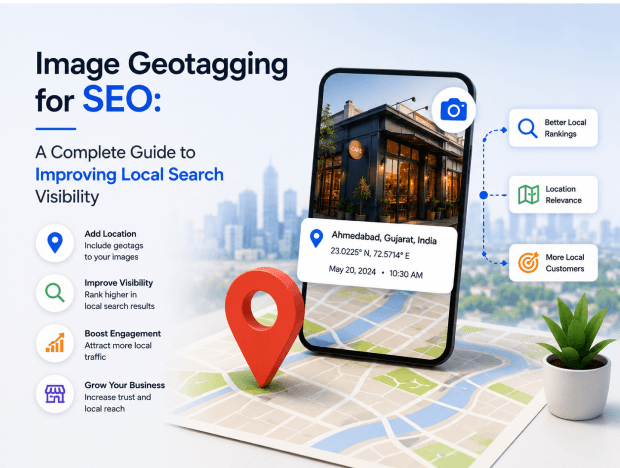
Local SEO has become one of the most important digital marketing strategies for businesses that want to attract nearby customers. Whether you own a restaurant, dental clinic, real estate agency, manufacturing company, or retail store, appearing in local search results can significantly increase your visibility and lead generation. While most businesses focus on Google Business Profile optimization, keyword targeting, and backlink building, one powerful technique often goes unnoticed: image geotagging.
Image geotagging involves embedding geographic location data into images before uploading them to your website, social media profiles, or business listings. This additional information helps search engines understand where your business operates, potentially strengthening your local SEO efforts. In this guide, we’ll explore what image geotagging is, how it works, its SEO benefits, and best practices for implementing it effectively.
What is Image Geotagging?
Image geotagging is the process of adding geographical metadata such as latitude and longitude coordinates to an image file. Modern smartphones and cameras often record location information automatically when photos are taken. This information is stored within the image’s EXIF (Exchangeable Image File Format) data. The metadata can include:
- Latitude coordinates
- Longitude coordinates
- Altitude
- Date and time
- Camera information
- Device details
For example, if you take a photo of your business location in Ahmedabad, the image can store the exact GPS coordinates of that location. When search engines crawl your website, they may use multiple signals to determine local relevance. Geotagged images can act as an additional location signal that supports your local SEO strategy.
Why Image Geotagging Matters for SEO
Search engines constantly aim to provide users with the most relevant local results.
When someone searches for:
- “Best digital marketing agency near me”
- “Industrial SEO in Ahmedabad”
- “SEO services in Gujarat”
Google evaluates numerous local signals before displaying results. Image geotagging contributes by reinforcing your business location and helping create consistency across your online presence.
Although geotagging alone won’t push your website to the top of Google rankings, it can strengthen your overall local SEO efforts when combined with other optimization techniques.
Benefits of Image Geotagging for Local SEO
1. Stronger Local Relevance
Geotagged images provide location-based information that aligns with your business address. When search engines see location consistency across:
- Website content
- Google Business Profile
- Business directories
- Images
they gain greater confidence about where your business operates. This consistency can help improve local search visibility.
2. Better Google Business Profile Optimization
Images are an important part of any Google Business Profile. Businesses with high-quality, location-relevant photos often receive:
- More profile views
- Increased customer engagement
- Higher trust levels
- Better click-through rates
Adding geotagged images before uploading them can support your local relevance signals.
3. Enhanced Image Search Visibility
Google Images generates billions of searches every month. Properly optimized images can rank independently in image search results and drive additional traffic to your website.
Combining geotagging with:
- Descriptive file names
- Alt text
- Image captions
- Structured data
creates a stronger image SEO strategy.
4. Increased Local Trust Signals
Local businesses thrive on authenticity. Photos taken at your actual business location help demonstrate legitimacy. For example:
A restaurant can upload geotagged images of:
- Dining areas
- Food preparation
- Staff members
- Customer events
These images signal that the business genuinely operates from the advertised location.
5. Competitive Advantage
Many businesses still overlook image optimization. By implementing image geotagging alongside traditional SEO practices, you can gain an additional edge over competitors who focus only on content and backlinks. Even small improvements can contribute to stronger local visibility over time.
How Does Image Geotagging Work?
Every image file contains metadata. When GPS information is added, the image stores:
- Latitude
- Longitude
- Location coordinates
For example:
Business Location:
Ahmedabad, Gujarat
Coordinates:
23.0225° N, 72.5714° E
These coordinates become part of the image file’s metadata. When uploaded to your website or business profile, the image carries that location information with it. Think of geotagging as attaching a digital address to every photo.
Types of Businesses That Benefit Most from Geotagging
Image geotagging can be useful for virtually any local business, including:
Restaurants
Food photography, dining areas, events, and customer experiences.
Hotels
Property photos, rooms, amenities, and surrounding attractions.
Real Estate Agencies
Property listings and neighborhood images.
Healthcare Clinics
Clinic interiors, staff photos, and facilities.
Manufacturing Companies
Factory images, machinery, production facilities, and warehouse operations.
Digital Marketing Agencies
Office spaces, team photos, client events, and local networking activities.
Retail Stores
Storefront images, products, promotions, and customer interactions.
Why Geotag Images for SEO?
Geotagging images offers several advantages:
Improved Local Search Relevance
Search engines use multiple signals to determine local relevance. Geotagged images provide additional location-based information that can reinforce your business’s connection to a specific area.
Better Google Business Profile Optimization
Uploading geotagged images to your Google Business Profile can complement your local SEO efforts and help create stronger geographic associations.
Enhanced User Trust
Location-specific images show authenticity and demonstrate that your business operates in the area you serve.
Competitive Advantage
Many businesses still do not optimize their images with location data. Geotagging can give you an additional edge in competitive local markets.
How to Geotag Images for SEO
Images play a crucial role in improving user experience, but they can also contribute significantly to your SEO strategy. One effective technique that many businesses overlook is image geotagging. By adding geographic location data to your images, you can help search engines better understand the location relevance of your content, which can be especially beneficial for local SEO.
Image geotagging is the process of embedding geographical information such as latitude and longitude coordinates into an image’s metadata. This location data tells search engines where the image was captured or where the related business is located.
For local businesses, geotagged images can strengthen location signals and support local search visibility when combined with other SEO practices such as Google Business Profile optimization, local citations, and location-specific content.
Step 1: Capture Authentic Photos
Start by taking original photos of:
- Office location
- Products
- Team members
- Customer interactions
- Events
- Facilities
Avoid relying solely on stock images. Original images provide more credibility and better SEO value.
Step 2: Obtain Accurate Coordinates
Use tools such as:
- Google Maps
- GPS applications
- Mobile location services
Locate your business and copy the exact coordinates. Ensure they match your official business address.
Step 3: Add Geolocation Data
Use image geotagging software or online tools to embed GPS coordinates into the image metadata. The process generally involves:
- Uploading the image
- Entering coordinates
- Saving the updated file
Once completed, the image contains location information.
Step 4: Optimize the Image File Name
Before uploading, rename the image.
Avoid:
IMG_12345.jpg
Instead use:
digital-marketing-agency-ahmedabad.jpg
or
industrial-seo-gujarat.jpg
Descriptive filenames help search engines understand image content.
Step 5: Add Optimized Alt Text
Alt text improves accessibility and SEO.
Example:
Bad Alt Text:
image1
Good Alt Text:
Industrial SEO in Ahmedabad, Gujarat
Keep descriptions natural and relevant.
Step 6: Compress Images
Large image files slow down websites. Use image compression tools to:
- Reduce file size
- Improve loading speed
- Enhance user experience
Fast-loading websites often perform better in search rankings.
Step 7: Upload to Website and Google Business Profile
Use geotagged images across:
- Website pages
- Blog posts
- Landing pages
- Google Business Profile
- Local directories
- Social media profiles
The more consistent your local signals are, the stronger your optimization efforts become.
Best Practices for Image Geotagging
Use Real Business Coordinates
Always use the actual location of your business or service area. Misleading location data can reduce credibility.
Focus on Original Images
Original photos of your office, team, and projects provide stronger local relevance than stock images.
Geotag Key Images Only
You do not need to geotag every image on your website. Focus on:
- Location pages
- Business profile images
- Service-related photos
- Team and office images
Combine with Local SEO Strategies
Image geotagging works best alongside:
- Google Business Profile optimization
- Local keyword targeting
- NAP consistency (Name, Address, Phone Number)
- Local backlinks
- Customer reviews
Use Real Business Photos
Authentic images provide stronger local relevance than generic stock photos. Search engines and users both value genuine visual content.
Match Coordinates to Your Business Location
Always use accurate GPS coordinates. Incorrect location data may create confusion and weaken local signals.
Maintain Consistency
Your geotagged images should align with:
- Website contact page
- Google Business Profile
- Business citations
- Social media information
Consistency builds trust.
Optimize Every Image
Don’t stop at geotagging. Combine it with:
- Alt text
- Captions
- Compression
- Descriptive filenames
- Structured data
A complete image SEO strategy delivers better results.
Avoid Keyword Stuffing
Many businesses make the mistake of overloading image descriptions with keywords.
Instead of:
“Best SEO company Ahmedabad SEO services Ahmedabad digital marketing Ahmedabad”
Write:
“Our SEO team helps local businesses to improve online visibility in Ahmedabad.”
Natural language works better.
Common Image Geotagging Mistakes
Using Stock Photos Only
Stock images rarely help establish local authenticity. Use original business photographs whenever possible.
Ignoring Mobile Optimization
Many users browse from smartphones. Ensure images display correctly across all devices.
Uploading Large Files
Heavy images reduce page speed and can negatively impact user experience. Compress images before publishing.
Forgetting Alt Text
Geotagging alone isn’t enough. Alt text provides valuable context to search engines.
Inconsistent Business Information
If your image location data conflicts with your listed business address, local SEO performance may suffer. Keep all information synchronized.
Does Google Directly Use Geotagged Images for Rankings?
This is one of the most common questions among SEO professionals. Google has not officially confirmed that image geotagging is a direct ranking factor.
However, local SEO relies on multiple relevance signals. Geotagged images can contribute to:
- Location consistency
- Business authenticity
- Local relevance
- Enhanced user engagement
Think of image geotagging as a supporting optimization tactic rather than a standalone ranking solution. The greatest impact occurs when it complements:
- Local keyword optimization
- Google Business Profile management
- Citation building
- Review generation
- High-quality content creation
- Technical SEO
Future of Image Geotagging in SEO
Search engines continue to improve their understanding of visual content through artificial intelligence and image recognition. As AI-powered search evolves, contextual image information may become increasingly valuable. Businesses that invest in:
- Original photography
- Location-specific content
- Geotagged images
- Comprehensive image optimization
will likely be better positioned for future local search opportunities. Visual search is growing rapidly, making image optimization more important than ever.
Conclusion
Image geotagging is a simple yet effective technique that can strengthen your local SEO strategy. While it won’t instantly boost rankings on its own, it provides an additional layer of location relevance that supports your broader optimization efforts.
By combining geotagged images with strong on-page SEO, Google Business Profile optimization, local citations, quality content, and customer reviews, businesses can improve their chances of appearing in local search results.
The key is to focus on authenticity. Use real photos, accurate location data, optimized filenames, descriptive alt text, and consistent business information across all platforms.
As local competition continues to grow, every optimization opportunity matters. Image geotagging may seem like a small detail, but when integrated into a comprehensive SEO strategy, it can help reinforce your local presence and improve online visibility.