

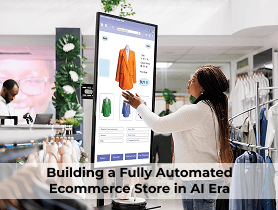
Introduction to Ecommerce Automation
Building fully automated ecommerce store systems is one of the smartest ways to generate passive income in today’s digital economy. Instead of manually managing every task, automation allows software and tools to handle operations like order processing, customer service, and marketing. In simple terms, automation turns your online store into a self-running business. Once properly set up, it can operate 24/7 with minimal human involvement.
An automated ecommerce store powered by AI feels less like a machine and more like a smart business partner working behind the scenes. From generating product descriptions and optimizing pricing to managing inventory and running personalized marketing campaigns, AI takes care of repetitive tasks so you can focus on growth.
It learns from customer behaviour, adapts in real time, and helps deliver a seamless shopping experience. In simple terms, it’s like having a 24/7 digital team that keeps your store running efficiently, even while you sleep.
Step-by-Step Process of Building a Fully Automated Ecommerce Store in AI Era
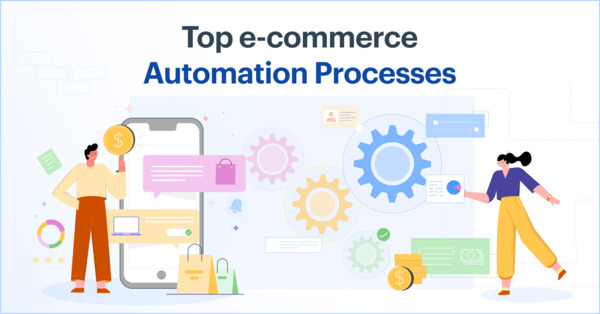
Building a fully automated ecommerce store with AI might sound complex, but when you break it down step by step, it becomes a practical and exciting journey. Think of it as setting up a smart business that can largely run on its own while you focus on scaling and strategy.
Choose Your Niche and Products
Start by deciding what you want to sell. Instead of guessing, use AI-powered research tools to identify trending products, customer demand, and competition. This helps you pick a niche that has real potential rather than relying on assumptions.
Select the Right Ecommerce Platform
Choose a platform that supports automation, such as Shopify or WooCommerce. These platforms integrate easily with AI tools and apps, making it easier to automate everything from product uploads to payments.
Build Your Storefront
Design a clean, user-friendly website. You don’t need to be a designer, AI website builders and templates can help you create a professional-looking store quickly. Focus on simplicity, easy navigation, and mobile responsiveness.
Automate Product Listings
AI tools can generate product titles, descriptions, and even images. This saves hours of manual work and ensures your listings are optimized for conversions and search engines.
Set Up Inventory and Order Automation
Integrate your store with suppliers or dropshipping platforms so inventory updates and order processing happen automatically. When a customer places an order, the system forwards it to the supplier without you needing to step in.
Implement AI-Powered Pricing and Recommendations
Use AI to adjust pricing based on demand, competition, and trends. At the same time, recommendation engines suggest relevant products to customers, increasing your chances of upselling and cross-selling.
Automate Marketing Campaigns
Connect your store with tools like Mailchimp or Klaviyo. AI can segment your audience, send personalized emails, recover abandoned carts, and even optimize ad campaigns.
Set Up Customer Support Automation
Add AI chatbots to handle common customer queries instantly. This improves customer experience while reducing the need for constant manual support.
Track Performance with Analytics
Use AI-driven analytics to monitor sales, customer behavior, and marketing performance. These insights help you make smarter decisions and continuously improve your store.
Optimize and Scale
Once everything is running smoothly, focus on scaling. AI will keep learning from data and improving processes, while you can expand product lines, explore new markets, or invest more in marketing.
In simple terms, building an AI-powered automated ecommerce store is like creating a business that works for you around the clock. With the right setup, you’re not just selling products, you’re running a smart, self-improving system that grows with time.
What is an Automated Ecommerce Store?
An automated ecommerce store is an online business that uses technology, especially AI and software tools, to handle most of its daily operations with minimal human involvement. Instead of manually managing tasks like product listings, inventory updates, order processing, customer support, and marketing, automation systems take care of these processes efficiently in the background.
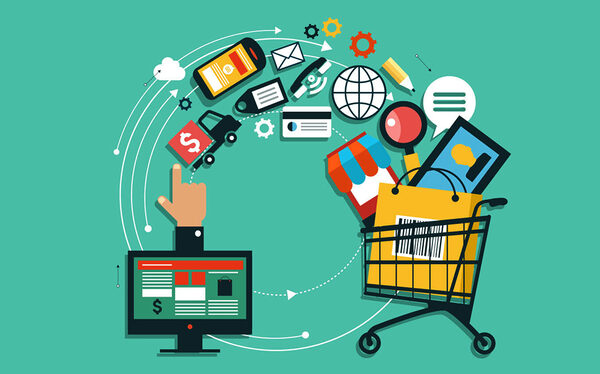
In a modern setup, AI can generate product descriptions, recommend products to customers, adjust pricing based on demand, and even run targeted ad campaigns. It also tracks customer behaviour to personalize the shopping experience, making the store feel more responsive and user-friendly.
In simple terms, an automated ecommerce store works like a self-operating system that keeps your business running 24/7. It saves time, reduces errors, and allows business owners to focus more on strategy and growth rather than routine tasks.
An automated ecommerce store is an online business where most processes are handled by technology. These processes include:
- Product listing updates
- Inventory management
- Order fulfillment
- Email marketing
- Customer support
The goal is to reduce manual work while increasing efficiency and scalability.
Benefits of Full Automation in Ecommerce Store
Full automation in e-commerce acts like a silent digital workforce, handling the heavy lifting so you can focus on the big picture. Here are the primary benefits:
- Operational Efficiency: Automation streamlines repetitive tasks like order processing, inventory updates, and shipping notifications, drastically reducing the risk of human error and ensuring 24/7 productivity.
- Enhanced Customer Experience: By utilizing automated chatbots for instant support and personalized email marketing based on browsing history, you provide a seamless, responsive journey that builds brand loyalty.
- Scalability without Overhead: A fully automated system can handle a sudden surge of 1,000 orders as easily as 10, allowing your business to grow rapidly without the immediate need to hire a large administrative team.
- Data-Driven Insights: Automation tools often come with integrated analytics that track performance in real-time, giving you the clarity needed to make smarter inventory and marketing decisions.
Automation brings several powerful advantages:
- Time-saving: Less manual work means more free time
- Scalability: Easily handle large volumes of orders
- Consistency: Fewer human errors
- Cost efficiency: Reduce staffing needs
- 24/7 operations: Business runs even while you sleep
Understanding the Ecommerce Business Model
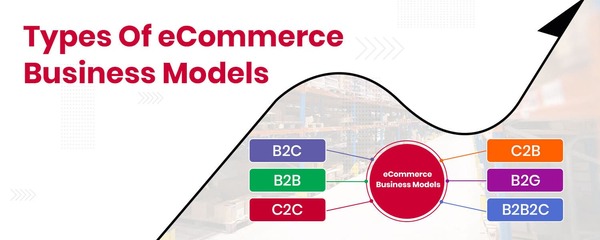
At its core, the E-commerce Business Model is the digital evolution of the traditional retail exchange. It involves the buying and selling of goods or services over the internet, where the “storefront” is a website or app, and the “aisles” are digital catalogues. Before diving into automation, it’s essential to understand how ecommerce works.
To truly understand how these businesses operate, it helps to break them down into who they are selling to and how they handle the products.
The “Who”: Common Market Classifications
Most e-commerce ventures fall into one of these four primary categories:
- B2C (Business to Consumer): The most common model, where a business sells directly to the end user (e.g., buying a pair of shoes from Nike’s website).
- B2B (Business to Business): Businesses selling to other businesses, often in bulk or for specialized industrial use (e.g., a software company selling to a marketing agency).
- C2C (Consumer to Consumer): Platforms that facilitate sales between individuals (e.g., eBay, Etsy, or Facebook Marketplace).
- C2B (Consumer to Business): An individual sells their services or products to an organization (e.g., a freelance photographer selling stock photos to a brand).
The “How”: Fulfilment & Revenue Models
The “engine” of an e-commerce store is how it manages inventory and delivery. These are the most popular strategies:
| Model | Description | Primary Benefit |
| Direct-to-Consumer (D2C) | The brand builds, markets, and ships its own products. | Higher margins and brand control. |
| Dropshipping | The store sells products fulfilled by a third-party supplier. | Low upfront cost; no inventory risk. |
| Subscription | Customers pay a recurring fee for products/services (e.g., BarkBox). | Predictable monthly recurring revenue. |
| White Labeling | Buying a generic product and applying your own branding. | Faster time-to-market than custom manufacturing. |
The Value Chain
Every successful e-commerce model relies on a seamless “Value Chain” that moves a customer from discovery to delivery:
- Attraction: Using SEO, Social Media, and Ads to drive traffic.
- Conversion: A user-friendly UI/UX that makes it easy to add to cart and checkout.
- Logistics: The “Last Mile” delivery, getting the physical product to the door accurately and quickly.
- Retention: Post-purchase support and email marketing to turn a one-time buyer into a loyalist.
Key Takeaway: The ultimate goal of any e-commerce model is to reduce “friction.” The fewer clicks and hurdles between a customer’s desire and the completed transaction, the more successful the business will be.
Dropshipping vs Inventory-Based Stores
Dropshipping:
- No need to hold inventory
- Supplier ships products directly to customers
- Lower startup costs
Inventory-Based:
- You stock products
- Greater control over quality and shipping
- Higher upfront investment
Dropshipping is often preferred when building fully automated ecommerce store setups due to its simplicity.
Subscription and Print-on-Demand Models
Other automation-friendly models include:
- Subscription boxes: Recurring revenue
- Print-on-demand: Custom products printed after purchase
These models reduce inventory risks and streamline operations.
Market Research and Niche Selection for your eCommerce Store
Market research and niche selection are the foundation of a successful eCommerce store, helping you understand customer needs, identify profitable opportunities, and choose a focused market where your business can truly stand out. Choosing the right niche is critical for success.
Finding Profitable Niches
Look for niches that are:
- High demand
- Low competition
- Passion-driven (e.g., fitness, pets, gadgets)
Use tools like Google Trends or keyword planners to validate demand.
Analyzing Competitors and Trends
Study competitors to understand:
- Pricing strategies
- Product offerings
- Marketing techniques
This helps you identify gaps and opportunities.
Choosing the Right Ecommerce Platform to Showcase Your Products
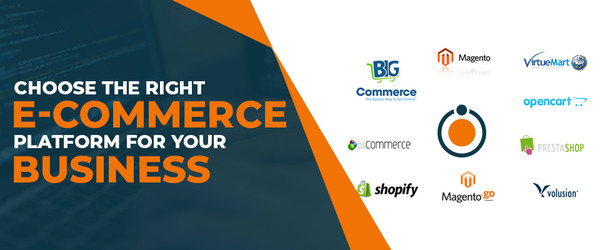
Choosing the right ecommerce platform is like picking the home for your online business, it should feel reliable, flexible, and easy to manage. Platforms like Shopify or WooCommerce make it simple to showcase your products beautifully while handling the technical side in the background.
The key is to choose a platform that fits your goals, supports automation, and can grow with you over time. When your foundation is strong, everything else from customer experience to sales, becomes much smoother. Your platform is the foundation of your store.
Shopify vs WooCommerce vs Others
- Shopify: Easy to use, highly automated
- WooCommerce: Flexible but requires more setup
- BigCommerce: Scalable for larger businesses
Automation-Friendly Features to Look For
Choose platforms with:
- App integrations
- Automated checkout
- Built-in analytics
- API support
Product Sourcing and Supplier Automation
Product sourcing and supplier automation help you streamline your ecommerce operations by connecting your store directly with reliable suppliers, allowing products to be updated, stocked, and shipped automatically without constant manual effort. Efficient sourcing is key to automation.
Using Dropshipping Suppliers
Popular platforms include:
- AliExpress
- Oberlo
- Spocket
These tools automate product imports and order fulfillment.
Automating Inventory Management
Automation tools help:
- Sync stock levels
- Prevent overselling
- Update product availability
eCommerce Website Creation and Optimization
eCommerce website creation and optimization is all about building a store that not only looks great but also feels easy and enjoyable for customers to explore, helping them find what they need quickly and confidently make a purchase. Your website should be both attractive and functional.
Designing for Conversions
Focus on:
- Clean layout
- Fast loading speed
- Mobile responsiveness
- Clear call-to-action buttons
SEO Optimization Basics
To rank higher on search engines:
- Use keywords like building fully automated ecommerce store naturally
- Optimize product descriptions
- Add meta tags and alt text
Payment Gateway and Checkout Automation
Payment gateway and checkout automation ensure that your customers enjoy a smooth, secure, and hassle-free buying experience, with transactions processed instantly and orders confirmed without any manual intervention on your end. Smooth transactions are essential.
Secure Payment Integration
Use trusted gateways like:
- PayPal
- Stripe
- Razorpay
Reducing Cart Abandonment
Strategies include:
- One-click checkout
- Guest checkout options
- Automated cart recovery emails
Order Fulfilment Automation
Order fulfilment automation takes care of everything after a customer clicks “buy,” from processing the order to packing and shipping it, ensuring a fast, accurate, and stress-free experience without requiring constant manual effort. This is where automation truly shines.
Using Fulfilment Services
Third-party logistics (3PL) providers handle:
- Packing
- Shipping
- Returns
Shipping and Tracking Automation
Automation tools provide:
- Real-time tracking
- Automated notifications
- Shipping label generation
Marketing Automation Strategies
Marketing automation strategies help you connect with your audience at the right time without constant manual effort, using AI and smart tools to send personalized emails, run targeted ads, and re-engage potential customers.
It’s like having a dedicated marketing team working 24/7 to attract, nurture, and convert leads while you focus on growing your business. Marketing is the engine of growth.
Email Marketing Automation
Use tools like Mailchimp or Klaviyo to:
- Send welcome emails
- Recover abandoned carts
- Promote offers
Social Media and Ad Automation
Automate:
- Facebook and Instagram ads
- Scheduled posts
- Retargeting campaigns
Customer Support Automation
Customer support automation helps you provide quick, consistent, and round-the-clock assistance to your customers using AI chatbots and smart helpdesk tools, ensuring their queries are resolved without long wait times.
It creates a smoother experience for your customers while reducing your workload, so you can focus more on improving your products and growing your business. Customer experience still matters, even with automation.
Chatbots and AI Support
Chatbots can:
- Answer FAQs
- Guide purchases
- Handle basic complaints
FAQ and Helpdesk Systems for eCommerce Store Enquiries
FAQ and helpdesk systems make it easy for your customers to find answers to common questions and get support whenever they need it, without delays. By organizing information clearly and using automation, these systems handle routine enquiries efficiently while still giving customers the option to reach out for personalized help when needed. Create a self-service system where customers can find answers quickly.
Analytics and Performance Tracking for eCommerce Store
Analytics and performance tracking help you understand how your ecommerce store is really performing, from customer behavior to sales trends. With the right tools, you can see what’s working, spot areas that need improvement, and make smarter decisions based on real data, turning insights into steady growth for your business. Data drives decisions.
Key Metrics to Monitor
Track:
- Conversion rate
- Customer acquisition cost
- Average order value
Using Automation Tools for Insights
Tools like Google Analytics provide automated reports and insights.
Scaling Your Automated Ecommerce Store
Scaling your automated ecommerce store is about growing your business without increasing your workload at the same pace. With automation and AI in place, you can expand your product range, reach new markets, and increase sales while your systems continue to handle operations smoothly in the background. It allows you to focus on strategy, branding, and long-term growth while your store keeps running efficiently 24/7.
Once stable, scale your business.
Expanding Product Lines
Add complementary products to increase revenue.
Entering New Markets
Explore international shipping and localization strategies.
Common Mistakes to Avoid while Automating your eCommerce Store
Automating an e-commerce store is a powerful move, but it’s easy to treat it as a “set it and forget it” solution. When automation goes wrong, it doesn’t just save time, it can alienate customers or mess up your inventory at record speed.
Here are the most common pitfalls to watch out for:
Over-Automating Customer Service
The “uncanny valley” of chatbots is a real conversion killer. While automated FAQs are great, forcing a frustrated customer to loop through a bot without a clear path to a human agent creates friction.
- The Fix: Use automation for tracking numbers and simple queries, but always have a “Talk to a Human” escape hatch.
Ignoring “Data Hygiene”
Automation is only as good as the data you feed it. If your product SKU numbers are inconsistent or your customer tags are messy, your automated workflows will send the wrong emails or update the wrong stock levels.
- The Fix: Before turning on an automation, perform a data audit to ensure all fields and tags are standardized.
“Set It and Forget It” Syndrome
Markets change, and so do customer behaviours. An automated email sequence written two years ago might feel tone-deaf or outdated today. Similarly, an automated pricing tool might engage in a “race to the bottom” with a competitor, destroying your margins.
- The Fix: Schedule a monthly “Automation Health Check” to review your workflows, copy, and logic.
Fragmented “App Overload”
Using ten different apps that don’t talk to each other creates “data silos.” For example, if your shipping app doesn’t tell your marketing app that a package is delayed, you might accidentally send a “How did you like your purchase?” email before the customer even receives it.
- The Fix: Prioritize native integrations or use a central “brain” like Zapier or Make.com to sync your tech stack.
Automating a Broken Process
If your manual returns process is a nightmare, automating it will just make it a faster nightmare. Automation scales efficiency, but it also scales errors.
- The Fix: Map out your process manually first. Once it’s working perfectly by hand, then and only then automate it.
Pro Tip: Always run a “Ghost Order” after setting up a new automation. Go through the entire buying process as a customer to see exactly what emails, notifications, and logic triggers actually fire.
FAQs
What is the cost of building fully automated ecommerce store?
Costs vary but typically range from $500 to $5000 depending on tools and platform.
Can beginners build an automated ecommerce store?
Yes, beginner-friendly platforms like Shopify make it easy.
Is dropshipping necessary for automation?
No, but it simplifies automation significantly.
How long does it take to automate a store?
Usually 2–4 weeks for full setup.
Is automated ecommerce profitable?
Yes, with the right niche and marketing strategy.
Conclusion
Building fully automated ecommerce store systems is no longer a luxury, it’s a necessity for anyone looking to scale efficiently in the digital marketplace. With the right tools, strategies, and mindset, you can create a business that runs smoothly with minimal effort. Automation doesn’t just save time, it unlocks growth, improves efficiency, and allows you to focus on innovation rather than routine tasks.